AI Email Reply Generator for Gmail
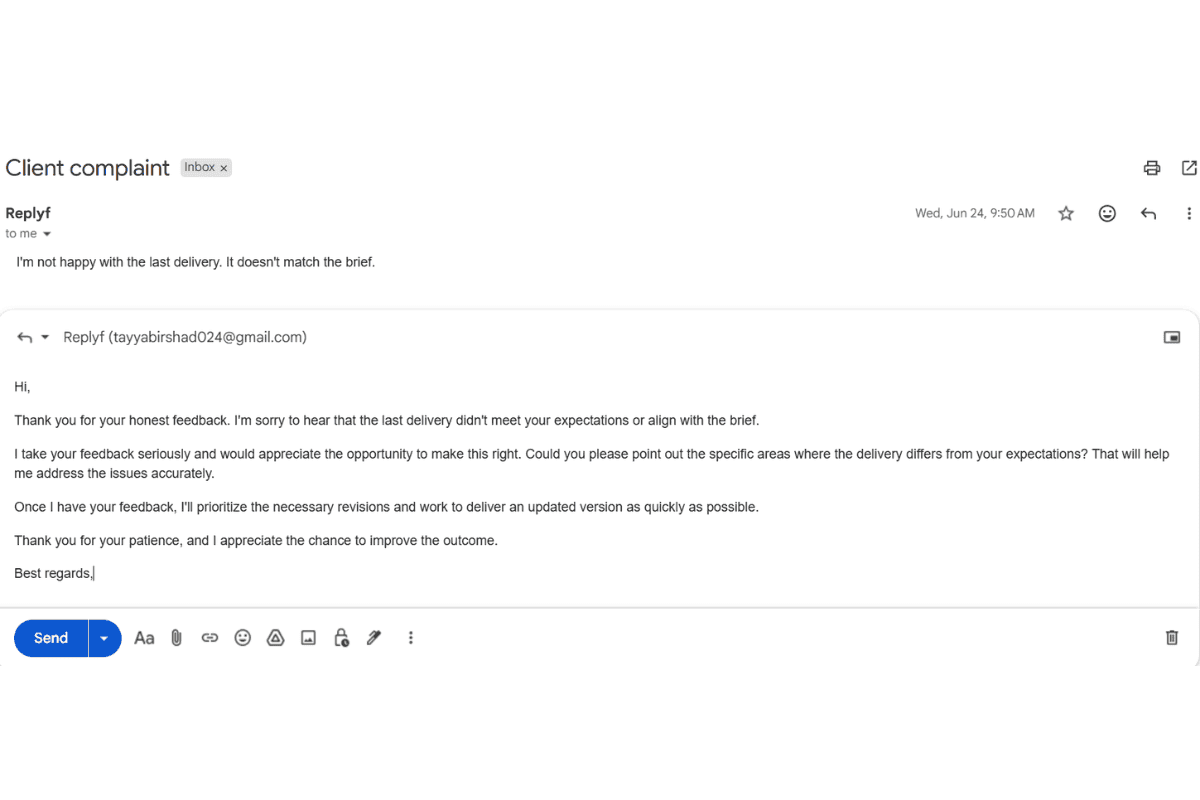
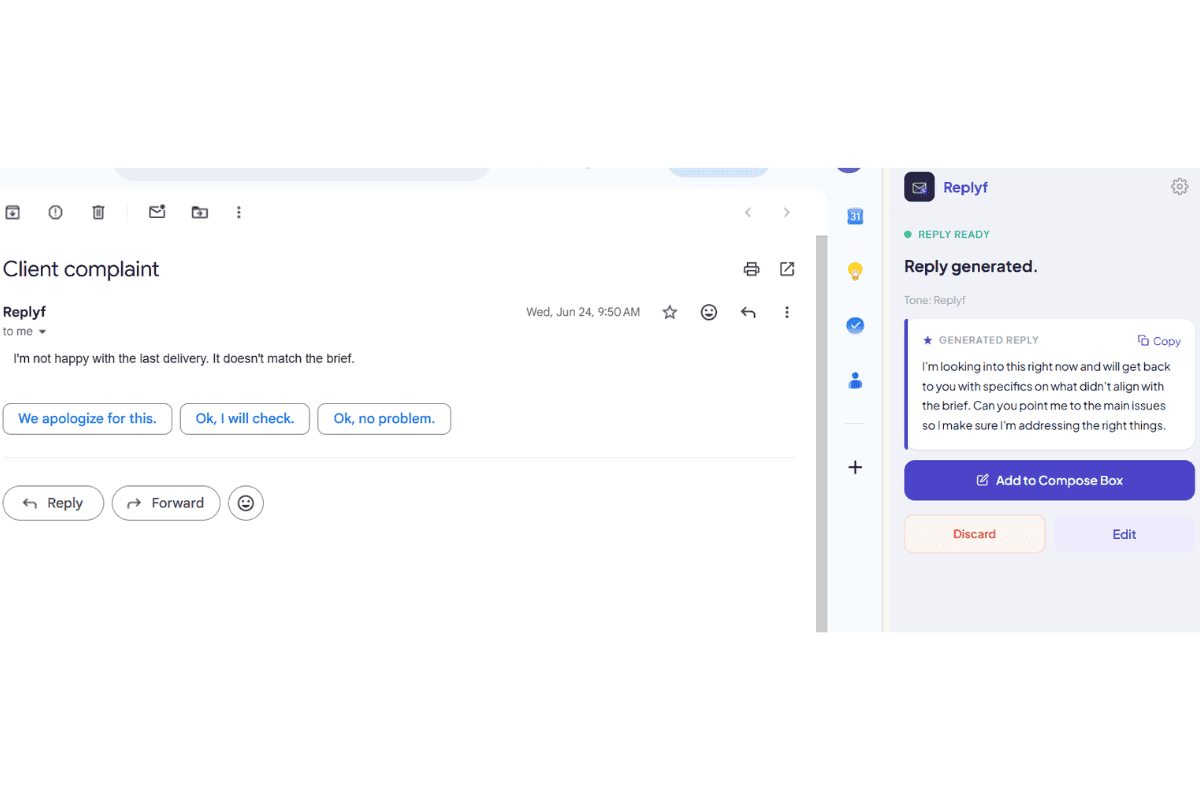
Replyf is the AI email reply generator built for people who reply on someone else's behalf. It reads the full Gmail thread, matches your client's writing tone, and drafts a send-ready reply in seconds. Inside Gmail. No tab-switching.
- ✓Reads the full Gmail thread automatically
- ✓Matches your client's exact writing tone
- ✓Send-ready draft in under 10 seconds
- ✓Runs inside Gmail, no tab-switching
- ✓Emails read locally, never stored
- ✓Free to start, no credit card required
🎉 First 10 AI replies free every month. No credit card required.
Why AI Email Reply Generators Are Replacing Manual Drafting (for VAs and EAs)
A virtual assistant managing three client inboxes writes somewhere between 30 and 60 emails a day, in three different voices, on threads that carry weeks of history. Drafting each one from scratch is slow. Pasting into ChatGPT or Gmail's Gemini and rewriting the output to sound like the client is often slower, once you count the tab-switching and editing.
An AI email reply generator built for this specific job flips the workflow. Instead of writing every reply and hoping it sounds right, you generate a draft in the client's tone, then spend your time reviewing rather than composing. The output starts at 90% send-ready. Your job becomes catching the 10% that needs a touch, not writing the other 90%.
What is an AI Email Reply Generator?
An AI email reply generator is a tool that uses artificial intelligence to draft email replies for you. Instead of typing a reply from scratch, you point the AI at the email thread and it produces a ready-to-send draft in seconds. Some AI email reply generators run inside your email client (like Gmail), while others run as separate chat tools you copy and paste into.
Not every AI email reply generator solves the same problem. General AI writing tools like ChatGPT, Gemini, and Copilot produce a generic first draft that sounds professional but in a flat, one-size-fits-all voice. That works if you are replying as yourself. It falls apart the moment you are a virtual assistant, executive assistant, or agency manager replying on someone else's behalf, because the reply needs to sound like that specific person, not the AI.
Replyf is an AI email reply generator built specifically for the second case. Point it at 3-5 real sent emails from a client's inbox, and it learns that client's tone. Every reply after that is drafted in the client's voice, using the full Gmail thread as context, inside Gmail. See how it compares to ChatGPT, Gemini, and Copilot on the specific VA and EA task in our AI reply generator for Gmail comparison, or read the deeper breakdown on the best AI email assistants for 2026.
Who Uses This Tool
High-volume inbox owners
VAs and EAs replying to 40+ emails a day who can't afford the 10-minute-per-email edit cycle of generic AI drafts.
Long-thread replies
Anyone stuck replying to threads with 10+ messages of prior context that a general AI tool cannot see unless you paste it all in yourself.
Privacy-conscious inboxes
Clients replying to confidential threads (legal, financial, exec) who need email drafted locally without external servers seeing the content.
How to Use It: 3 Steps
Install the Chrome extension
Add Replyf from the Chrome Web Store. Takes about 30 seconds. Works with personal Gmail and Google Workspace accounts.
Set up your first tone profile
Point Replyf at 3-5 real sent emails from your client's inbox. It learns their greeting, sentence length, and sign-off automatically. Setup takes under 2 minutes.
Open any Gmail thread and click Generate
Replyf reads the full thread, drafts a send-ready reply in your client's tone, and shows it inside Gmail. Review, edit if needed, and send.
AI Email Reply Generator: FAQ
What is an AI email reply generator?
An AI email reply generator is a tool that uses AI to draft email replies for you. You point it at an incoming email or thread and it produces a ready-to-send reply in seconds. Replyf is an AI email reply generator built for Gmail, purpose-built for people replying on someone else's behalf so the draft matches the client's writing tone, not a generic professional voice.
What is the best AI email reply generator for Gmail?
It depends on what you use it for. If you reply as yourself occasionally, ChatGPT or Gemini works. If you reply on someone else's behalf (VAs, EAs, agencies), you need a tone-matching AI email reply generator like Replyf that learns the client's specific voice once and applies it automatically to every draft, inside Gmail, with the full thread as context.
Is there a free AI email reply generator?
Yes. Replyf's free plan includes 10 AI email replies per month and one tone profile, no credit card required. Enough to test on a real client inbox before deciding whether to upgrade to Starter ($12/mo), Pro ($29/mo), or Unlimited ($99/mo).
How does the AI email reply generator learn my client's tone?
You point Replyf at a small sample of your client's real sent emails (3-5 is usually enough), and it learns their greeting style, sentence length, and sign-off patterns. That becomes their tone profile. Every reply you generate from that inbox is drafted in that profile.
How fast is one reply?
Under 10 seconds for most threads. Replyf reads the whole thread automatically from inside Gmail, then generates a send-ready draft. You review, edit if you want, and send, no copy-pasting from another tab.
Does it read the whole email thread, or just the last message?
The whole thread. This is one of the main differences from pasting emails into a general AI tool: Replyf sees prior agreements, earlier decisions, and half-answered questions, so the reply respects context you'd otherwise have to explain manually.
Do I have to write a prompt for every reply?
No. Once a tone profile is set up for that inbox, you don't need to prompt at all. Click the Replyf button on the thread and it drafts a reply in that client's voice. You can add a one-line custom instruction if the reply needs something specific, but it's optional.
Are my client's emails stored anywhere?
No. Emails are read locally inside Gmail to generate the reply, then discarded. The only thing Replyf saves is a short plain-text style summary that makes up the tone profile, never actual email content.
Can I try the AI email reply generator before paying?
Yes. The free plan includes 10 replies per month and 1 tone profile, no credit card required. Enough to try it on a real client inbox before deciding whether to upgrade.
Which Gmail accounts does the AI email reply generator work with?
Both personal Gmail and Google Workspace accounts, including client Workspace inboxes. If you can log into the inbox in Chrome, Replyf works on it.
Further Reading
More on how VAs and EAs use AI to reply on someone else's behalf.
Best AI Email Assistants for 2026, Compared Honestly
ChatGPT vs. Gemini vs. Copilot vs. Replyf across tone, thread context, speed, and data handling.
Read more →
Are You Replying in Your Client's Voice, or Yours?
Why AI drafts sound generic when you're managing someone else's inbox, and how tone profiles fix it.
Read more →
The Best Email Management Software for VAs and EAs
The three categories of email tools every VA and EA should know, and what each one is actually for.
Read more →
How VAs Can Reply in Their Client's Exact Tone
The setup workflow, common mistakes, and what actually saves you time across multiple client inboxes.
Read more →
Ready to try it?
10 free replies every month. No credit card required. Set up your first tone profile in under 2 minutes.