AI Client Tone Matcher: Draft Replies in Your Client's Exact Voice
A Gmail Chrome extension that reads a small sample of your client's real sent emails, learns how they actually write, and drafts every reply on their behalf in that voice, not yours, and not a flat AI voice.
- Learns greeting style, sentence length, and sign-off from real sent emails
- Separate tone profile per client, so voices never blend across inboxes
- Under 2 minutes to set up a new client tone
- Runs inside Gmail, no copy-paste, no external tab
- Free to install, 10 replies per month included
First 10 AI replies free every month. No credit card required.
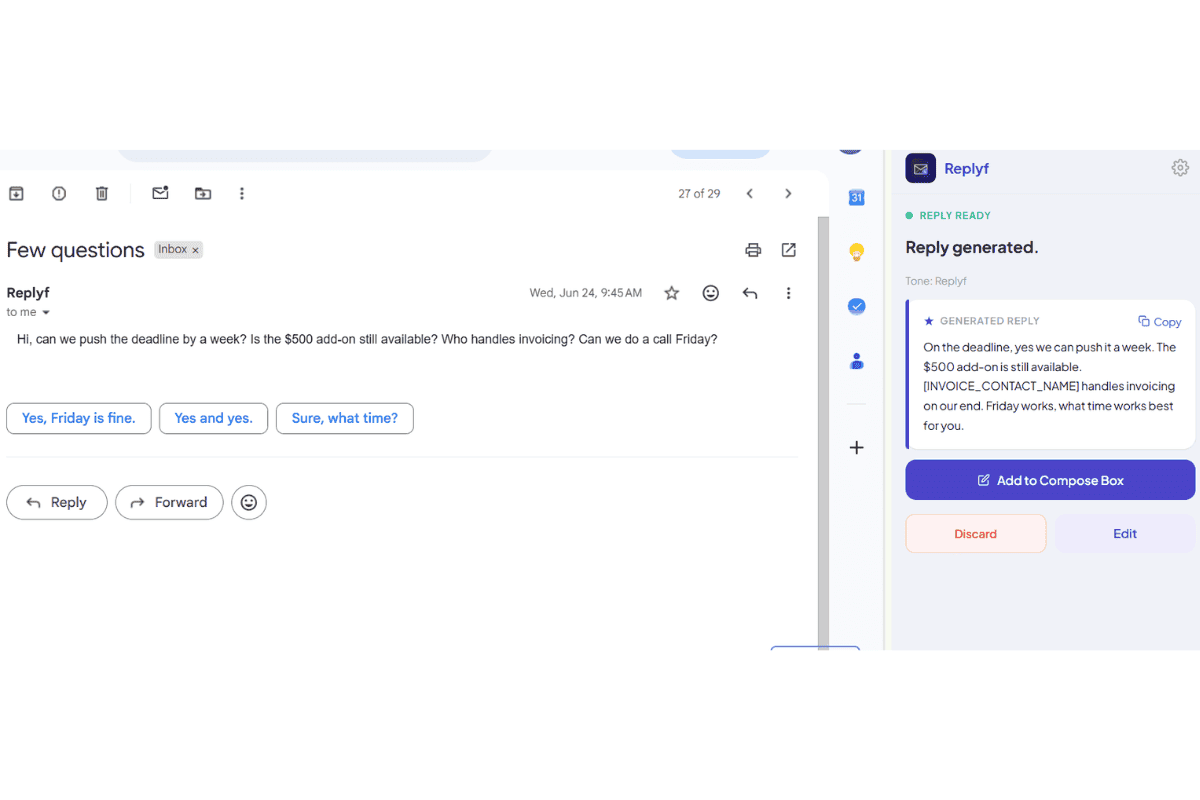
A generic AI draft: polite, correct, but sounds like no one in particular.
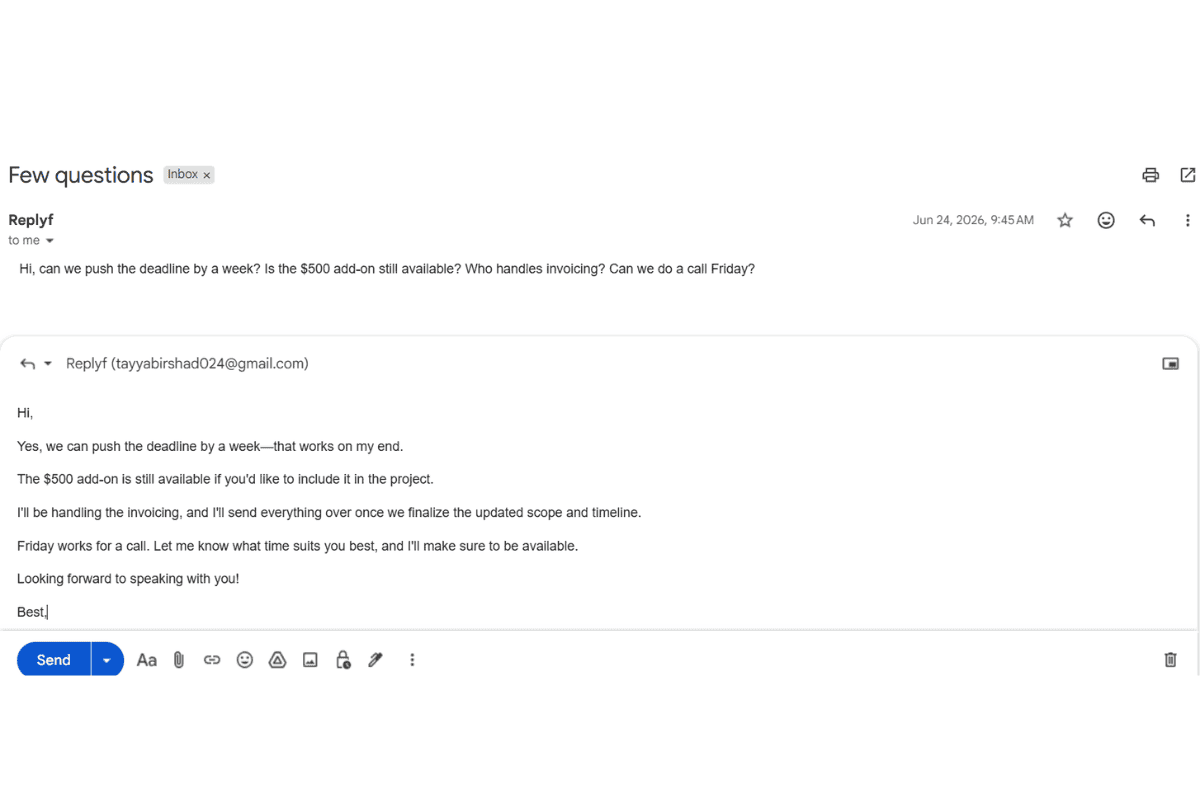
The Replyf Client Tone Matcher draft in the client's actual voice.
Why Tone Matching Matters More Than Prompt Engineering
When you paste an email into ChatGPT and ask for a reply, you get one flat AI voice back, the same voice, no matter whose inbox you're working in. That voice sounds fine in isolation. It falls apart the moment you send it from a client's account, because the client's contacts already know how that person actually sounds.
Prompt engineering can't fix this reliably. You can tell an AI to be "more casual" or "less formal," but that's still guessing at what those words mean for this specific person. A tone profile skips the guessing: it learns the actual patterns your client uses, the greetings, the sentence length, the specific phrases they reach for, and applies them directly.
The result is a draft that reads like the client wrote it, not one that needs 10 minutes of editing before it can go out.
Who Uses This Tool
VAs juggling 3+ client voices
VAs supporting several clients rely on tone matching to keep each voice clean without mentally re-learning how each person sounds every time they open a different inbox.
EAs protecting a public voice
EAs replying on behalf of a founder or exec whose contacts already know their tone use the tone matcher to keep every message in that person's exact voice, not a corporate approximation.
Ghostwriters and OBMs
Online business managers and ghostwriters running long-term retainers use tone profiles to keep the client's voice consistent even when the drafting workload spans multiple assistants.
How It Works — 4 Steps
Install the Chrome Extension
Add Replyf from the Chrome Web Store in under 30 seconds. It runs inside Gmail, you won't switch tabs to use it.
Set Up a Client Tone Profile
Point the extension at a handful of real sent emails from your client's Gmail account. Replyf reads them locally and builds a tone profile in under 2 minutes.
Open a Thread and Click Generate
Inside any Gmail thread, click the Replyf reply button. The extension reads the full thread and drafts a reply in the tone profile you picked.
Review, Edit If Needed, Send
Most drafts are send-ready. If something needs a small tweak, edit inline. Every reply you send helps the tone profile stay accurate over time.
Pro Tips for Better Results
Use 5-10 recent sent emails when setting up a tone profile. Recent ones capture how your client sounds today, not two years ago.
Skip auto-replies and one-line acknowledgements when picking sample emails. The AI learns tone best from actual back-and-forth replies.
If your client sounds different with different audiences (formal with vendors, casual with the team), set up two profiles, one per audience.
Frequently Asked Questions
What is an AI tone matcher?
An AI tone matcher is a tool that learns a specific person's writing style from samples of their sent messages and applies that style to new drafts. Replyf's AI Client Tone Matcher does this for Gmail: point it at 3-5 real sent emails from your client's inbox, and it captures how they greet, how long their sentences run, which specific phrases they reach for, and how they sign off. Every reply you generate after that is drafted in that client's voice, not a generic AI voice.
How many sent emails does the tool need to learn a client's tone?
5-10 real sent emails is usually enough to pick up greeting style, sentence length, and sign-off patterns. More helps if your client's writing style varies a lot across audiences, but most tone profiles work well with a small set.
Can I use one tone profile for multiple clients to save time?
No, that defeats the purpose. Each client's tone is different, and a shared profile blends them into an average voice that doesn't sound like any of them. Set up a separate profile per client. Plans include 8, 20, or 60 profiles depending on tier.
Does the tone matcher work in Google Workspace inboxes?
Yes. Replyf works in both personal Gmail and Google Workspace accounts, including any client Workspace inbox you have access to.
Are my client's emails stored to train the AI?
No. Replyf reads emails locally to build the tone profile and generate replies. The tone profile stores a plain-text style summary, not the emails themselves. Nothing is used to train any AI model.
How is this different from ChatGPT's memory feature?
ChatGPT's memory learns about the person typing prompts (you). It has no way to learn how your client writes. Replyf's tone profile is built specifically from the client's own sent emails, so the voice belongs to them, not to whoever is at the keyboard.
What is the best AI tone matcher for virtual assistants?
The right tone matcher depends on the workflow. Replyf's AI Client Tone Matcher is built specifically for VAs supporting multiple clients: separate tone profile per client, one-click switching, runs inside Gmail instead of a separate chat window, and priced per client roster instead of per seat. If you're replying as yourself, general AI tools (ChatGPT, Gemini) work fine. If you're replying as three or four different clients across a workday, purpose-built tone matching is what the job needs.
Further Reading
More on how VAs and EAs use Replyf and Gmail together.
Are You Replying in Your Client's Voice, or Yours?
Why AI drafts sound generic when you're managing someone else's inbox, and how tone profiles fix it.
Read more →
How VAs Can Reply in Their Client's Exact Tone
The setup workflow, common mistakes, and what actually saves you time across multiple client inboxes.
Read more →
Best AI Email Assistants for 2026, Compared Honestly
ChatGPT vs. Gemini vs. Copilot vs. Replyf across tone, thread context, speed, and data handling.
Read more →
Managing Multiple Client Inboxes Without Losing Your Mind
Practical system for switching cleanly between clients when you support three or more inboxes.
Read more →
Ready to Try It?
10 free AI replies every month. No credit card required to install.